Quickstart
This guide takes a new tenant to one successful response from a hosted Platform model. OneNexus operates the model and catalog endpoint, so this path needs no GPU quota.
Before you start
Section titled “Before you start”You need:
- access to the OneNexus Console with an approved tenant. If you do not have one, request pilot access;
- Python 3 with
pipavailable; and - permission to generate an API key.
Make your first call
Section titled “Make your first call”-
Choose a Platform model.
In the Console, open Inference → Platform Models and expand a model row. Copy these two values:
- the shared Endpoint displayed above the catalog; and
- the exact
modelvalue inside that row’s cURL request.
Use the generated cURL value rather than the Public model ID column. The latter is the catalog and billing identity; the serving router dispatches on the
modelstring shown in the cURL request.If the row shows an amber notice that the policy layer has not acknowledged the listing, wait for it to clear or choose another model — a newly published listing can take about a minute to become callable.
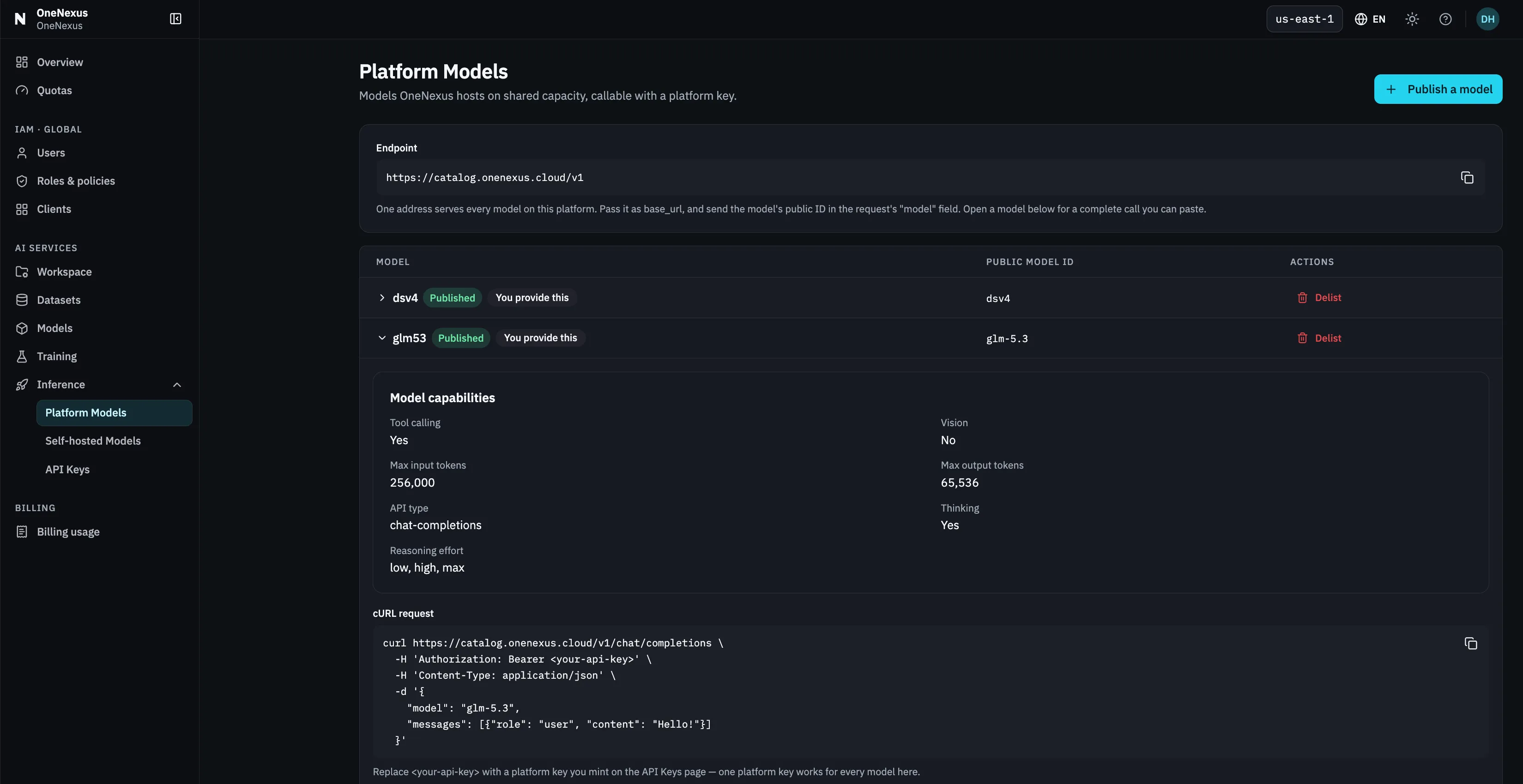
The endpoint above the table, and the
modelvalue inside the expanded row’s cURL — those two, not the Public model ID column. -
Generate a Platform API key.
Open Inference → API Keys → Generate API key. Choose an expiry and set Type to Platform.
Copy the secret from the success dialog; the Console shows it only once.
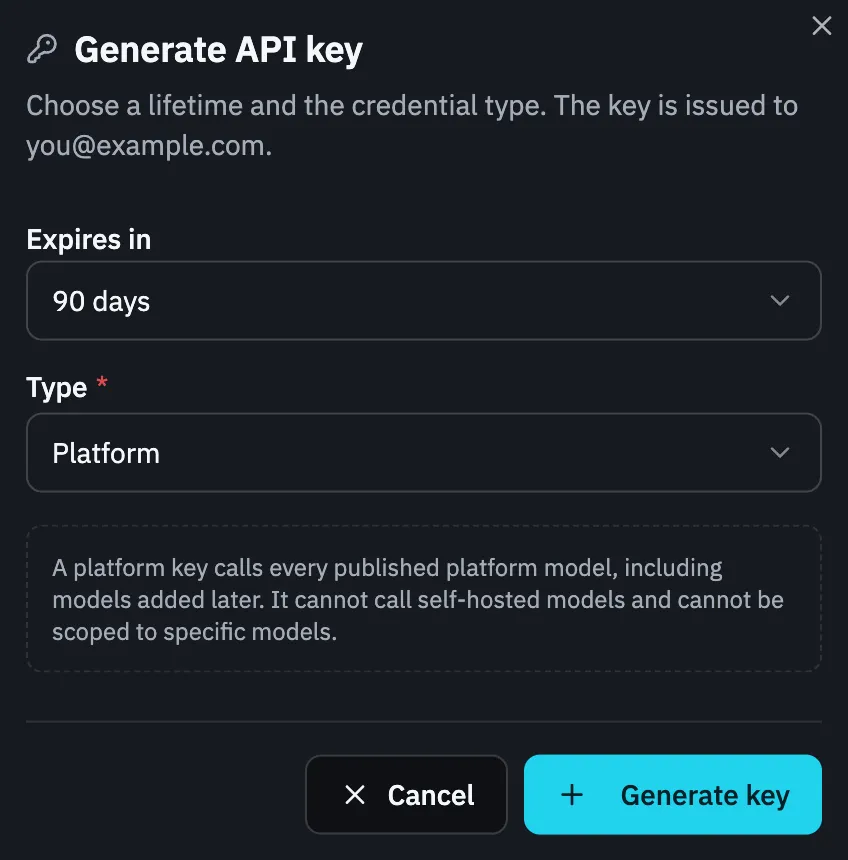
A Platform key shows no model list — it calls the whole catalog and cannot be narrowed.
-
Set the connection values.
Replace
<model-value-from-curl>with themodelvalue copied in step 1. The configured URL below is the normal catalog URL; if the Console shows a different endpoint, use the Console value.Bash or zsh
Terminal export ONX_BASE_URL="https://catalog.onenexus-do.cloud/v1"export ONX_MODEL="<model-value-from-curl>"Run the key prompt separately, then paste the key when prompted, to keep the secret out of shell history.
Terminal printf "OneNexus Platform API key: "; IFS= read -rs ONX_API_KEY </dev/tty && export ONX_API_KEY && printf "\n"PowerShell
PowerShell $env:ONX_BASE_URL = "https://catalog.onenexus-do.cloud/v1"$env:ONX_MODEL = "<model-value-from-curl>"$secret = Read-Host "OneNexus Platform API key" -AsSecureString$env:ONX_API_KEY = [System.Net.NetworkCredential]::new("", $secret).PasswordRemove-Variable secret -
Install the SDK and create the script.
Install the OpenAI Python SDK:
Terminal python -m pip install openaiSave this as
first_call.py:first_call.py import osfrom openai import OpenAIclient = OpenAI(base_url=os.environ["ONX_BASE_URL"],api_key=os.environ["ONX_API_KEY"],)response = client.chat.completions.create(model=os.environ["ONX_MODEL"],messages=[{"role": "user", "content": "Say hello in one sentence."}],)print("Success:", response.choices[0].message.content) -
Run the request and confirm the response.
Terminal python first_call.pySuccess prints a model-generated message prefixed with
Success:. For example:Success: Hello! I hope you're having a great day.The wording after
Success:varies; a complete final-answer result hasresponse.choices[0].message.content. A2xxresponse with empty final text still proves the API was reached; inspect the full response before retrying, since some models can return reasoning without final content.
If the first call fails
Section titled “If the first call fails”| Result | What to check |
|---|---|
401 | The Authorization header received a key. Generate a replacement if the secret was lost. |
403 | The key Type is Platform, the catalog endpoint is correct, the request uses the exact model value from the row’s cURL request, and no policy-layer notice is showing. Do not retry unchanged. |
404 | The URL ends in /v1/chat/completions. The catalog does not currently expose GET /v1/models. |
429 or 503 | Retry only a bounded number of times with exponential backoff and jitter. Escalate if the error persists. |
Do not log the API key or put it in source code. For the complete request contract and error guidance, see the API reference.