Composer troubleshooting
The symptoms below cover the Codex route, the agent Composer supports today. More agents are being added, and each will have its own entries here.
Symptoms you’re likely to hit with Nexus Composer, and where to look first — most come down to three things: the account isn’t connected, the route changed without a restart, or Composer isn’t running.
Download and installation
Section titled “Download and installation”| Symptom | Likely cause | Check next |
|---|---|---|
| The download button stays disabled | The release feed or the available installer did not pass validation | Reload the official page later; don’t use an unofficial mirror. Contact onboarding if it continues. |
| macOS blocks the installer | The pilot build’s signing status needs confirmation | Confirm the file came from the official page, then ask onboarding before overriding the warning. |
| The installer cannot run on this computer | The operating system or CPU is unsupported | Use macOS 14+ on Intel or Apple silicon, or Windows on x64 or ARM64 — on Windows, check you downloaded the installer for your processor (Settings → System → About → System type). Linux (Ubuntu 24.04+) is coming soon. |
Models and routing
Section titled “Models and routing”| Symptom | Likely cause | Check next |
|---|---|---|
| No OneNexus models in the picker | The account, the route, or the restart is missing | Connected status, the OneNexus card reads Active, then quit and reopen the client |
| Only OpenAI Official models appear | The route did not take | The OneNexus card, and that the proxy shows Running |
| Only OneNexus models appear | Signed-out mode is on | Use OneNexus without ChatGPT sign-in on the OneNexus card |
| Selecting OneNexus says a login is required | No ChatGPT session in Codex | Sign in to ChatGPT in Codex, or turn on signed-out mode |
| A newly added model is missing | The catalog is stale | Revalidate the account, then restart Codex Desktop |
| Requests fail immediately | The proxy is not there | Composer is still running, and Settings → Routing shows Local Routing as Running |
| OpenAI Official fails after you quit Composer | The route was left on OneNexus | Reopen Composer, select OpenAI Official, restart Codex |
| A profile conflict warning appears | An unmanaged custom Codex profile | Restore a normal OpenAI Official profile first — do not let it be overwritten blindly |
Composer reports an unmanaged OneNexus group in VS Code | A model group of that name already exists and Composer did not create it | Rename your own group before enabling the route — do not let Composer overwrite a group it does not manage |
| Codex is reported as not installed | Missing, or several installations disagree | Settings → About, then Diagnose installs |
Credentials
Section titled “Credentials”| Symptom | Likely cause | Check next |
|---|---|---|
| The API key is rejected | Wrong key scope, wrong tenant, revoked, or no network | Under Inference → API Keys, confirm Type is Platform and Status is Active, verify tenant and network, and create a replacement if revoked. |
| The stored credential cannot be read | The OS credential store is locked | Unlock it, then choose Check again |
Sessions
Section titled “Sessions”Sessions are shared both ways: switching provider or model neither deletes nor strands them, and a conversation started on one provider can normally continue on the other.
Switching changes only the upstream for subsequent requests — it never replays an earlier request or sends one to both providers.
The exception is a conversation carrying encrypted reasoning items, readable only by the backend that produced them — resuming it across a provider switch can fail. When it does, switch back to the provider that started it, or start a new conversation. Deleting Codex history or authentication files is not a first step: it loses work and rarely helps.
Usage statistics show nothing
Section titled “Usage statistics show nothing”Only completed AI requests are recorded. Send a synthetic request through Composer, let the view refresh, and widen the time, provider, and model filters — opening Composer alone creates no usage.
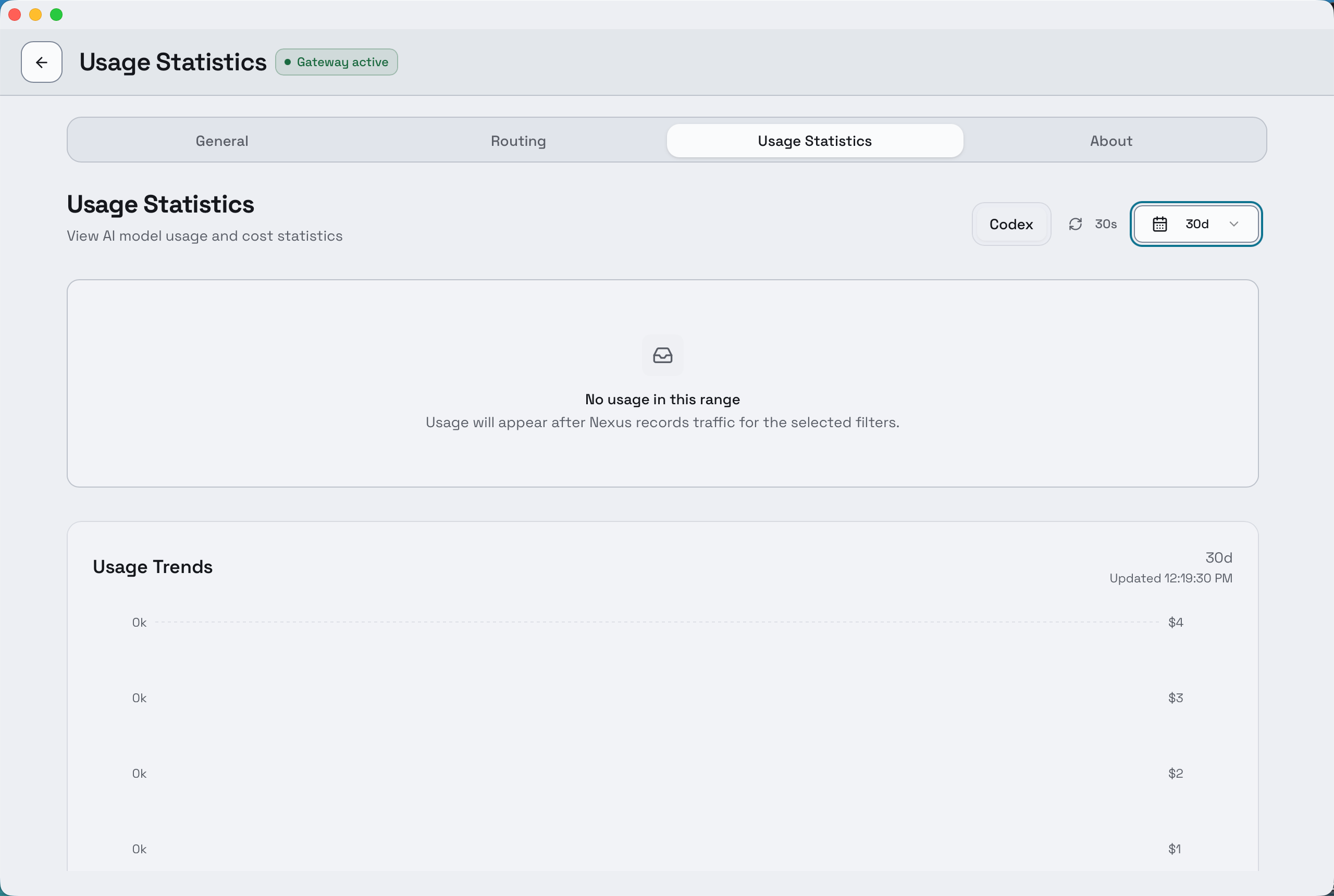
An empty view with a wide range means no completed request was routed — not that recording is broken.
Asking for help
Section titled “Asking for help”Bring these to your onboarding contact, or to data-center@onemount.com if you no longer have one:
- Composer version, operating system and CPU architecture.
- Codex version.
- The selected route — OpenAI Official or OneNexus — and the model ID.
- Roughly when the failed request happened, and whether the proxy showed Running.
- The visible error message, and sanitised logs.