Deploy your first model
This guide deploys one model and stops when the tenant endpoint can route requests to its Served Model Name. Complete the prerequisites for self-hosted models first.
Deploy an open model
Section titled “Deploy an open model”The shortest path uses a public Hugging Face repository. If you already have a finalized model version under Models, follow the same steps and choose Your models instead.
-
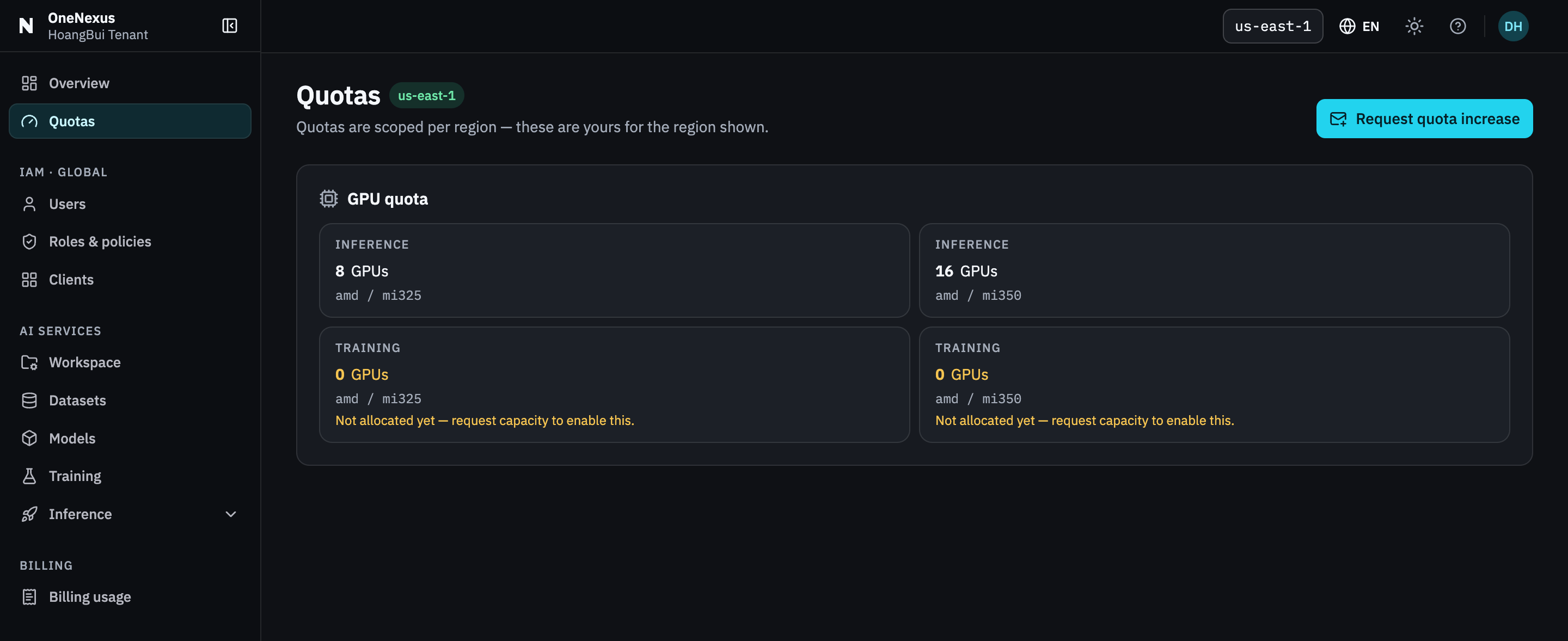
Confirm the region and Inference GPU quota.
Check the region in the Console header, then open Quotas. Confirm that the Inference allocation includes the GPU capacity required by the Flavor you intend to use.
If Deploy model is read-only, complete the quota-request hand-off shown by the Console before continuing; with no allocation, GPU-backed actions stay disabled but Delete remains available to release existing capacity.
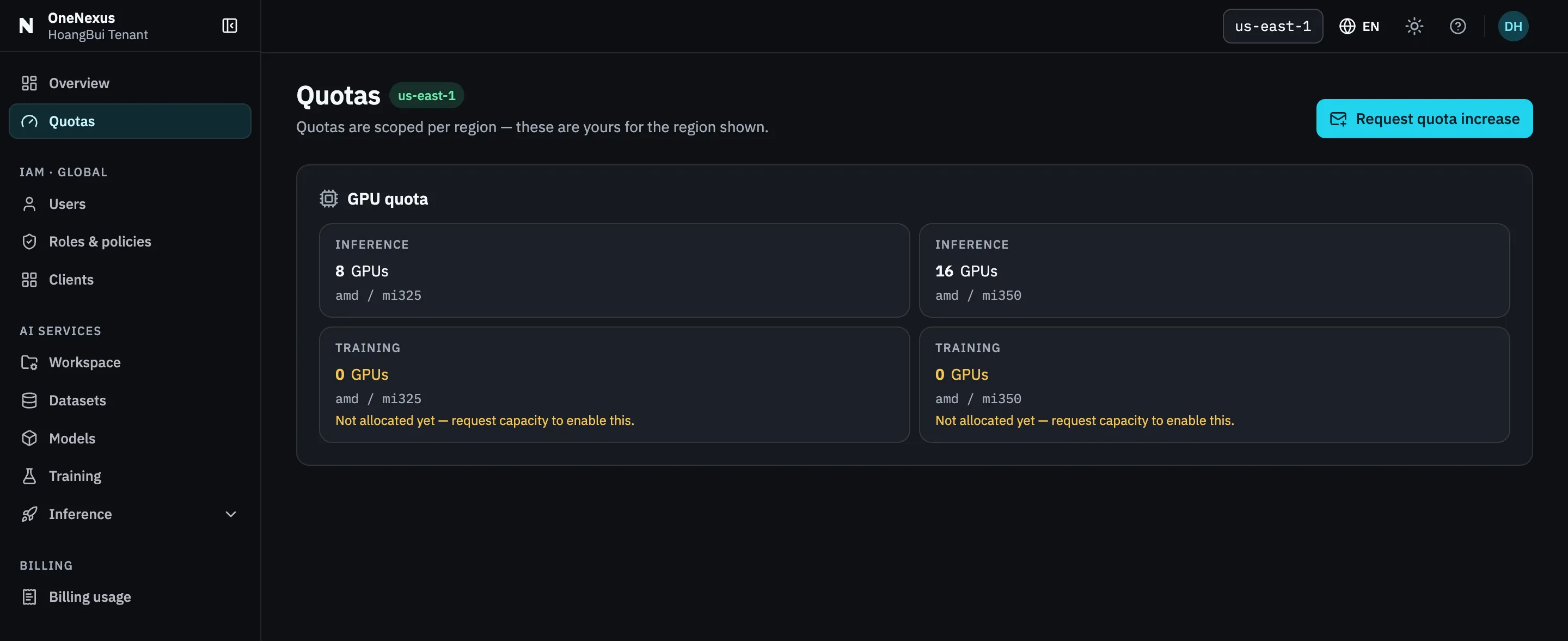
Read the Inference row for the GPU family your Flavor needs. A row at 0 is why Deploy would be read-only.
-
Open the deploy form.
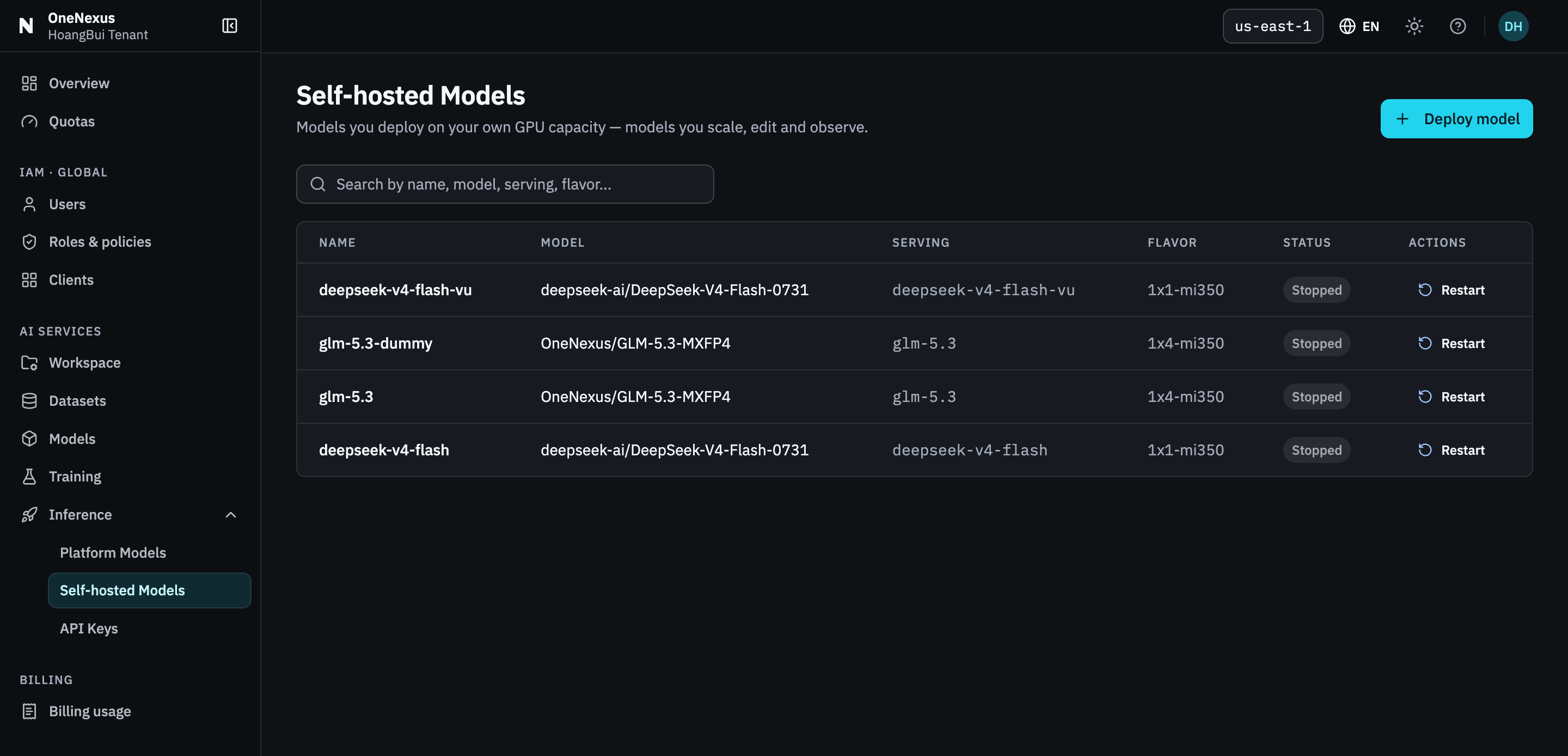
Go to Inference → Self-hosted Models → Deploy model and select Open model.
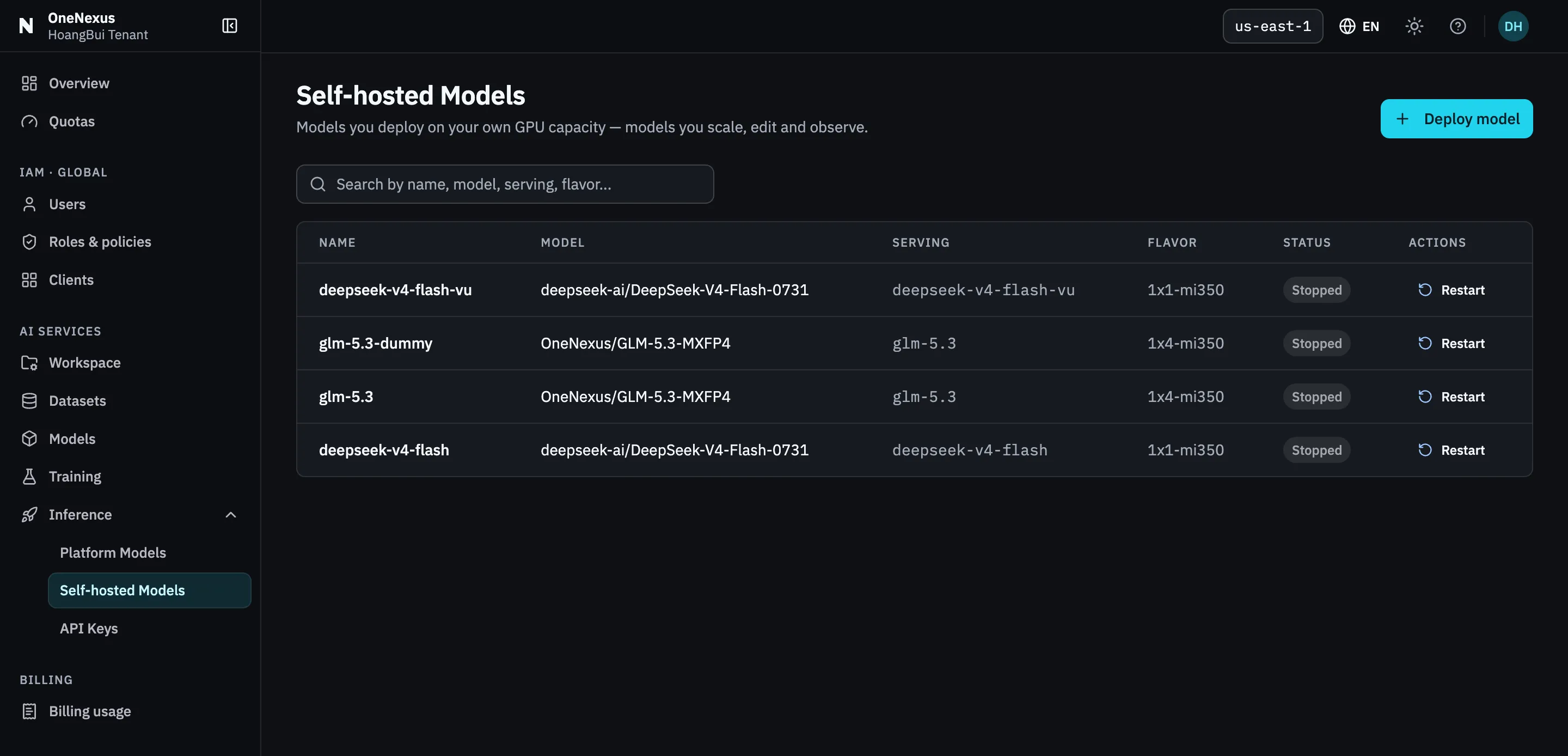
One row per model. The Serving column is the Served Model Name clients send — not the Name column.
-
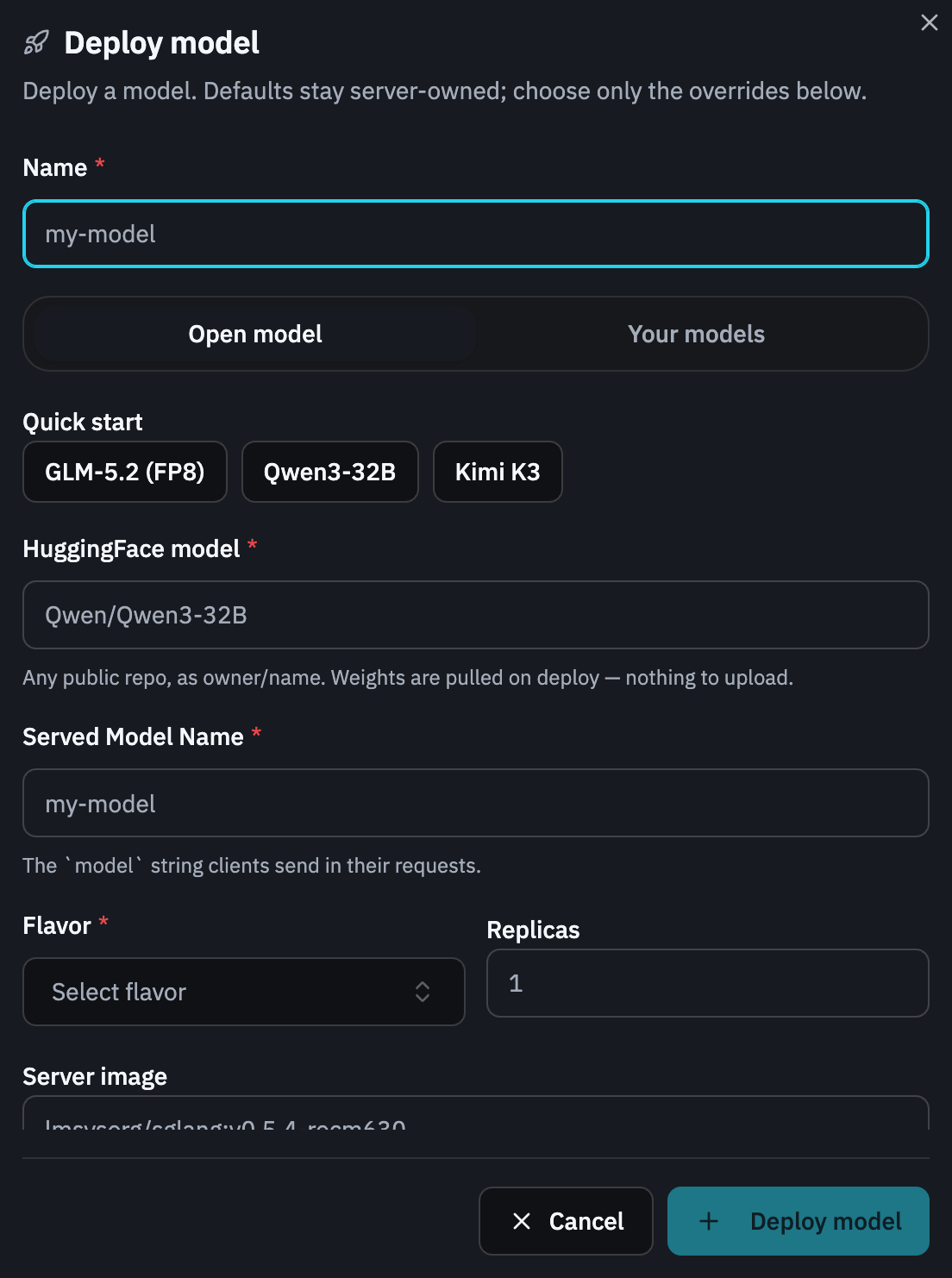
Choose the model source.
For the easiest path, select a model under Quick start. A preset fills the Hugging Face repository, Served Model Name, and any model-specific defaults it provides.
You can instead enter a public repository in HuggingFace model using the exact
owner/nameform, for exampleQwen/Qwen3-32B.To serve a model from your registry, switch to Your models and choose a model plus a finalized, servable version. If the version is absent, return to Models and wait for finalization; an uploading checkpoint or raw distributed checkpoint is not ready to serve.
-
Review the serving fields.
Field How to choose it Name A human-readable resource name used in the Self-hosted Models list. Served Model Name The exact string clients will send in the request body’s modelfield. Save it with the endpoint later.Flavor Required. Choose an available Flavor. Some Quick start presets fill a recommended value; if so, keep it unless your capacity plan requires another. Replicas Optional. If set, use a whole number of at least 1. Use1for the first deployment unless your capacity plan requires more replicas.The model determines the serving recipe in What this recipe runs with (informational only). Leave the optional Server image, Environment, and Engine flags fields unchanged unless you have a validated configuration for this model.
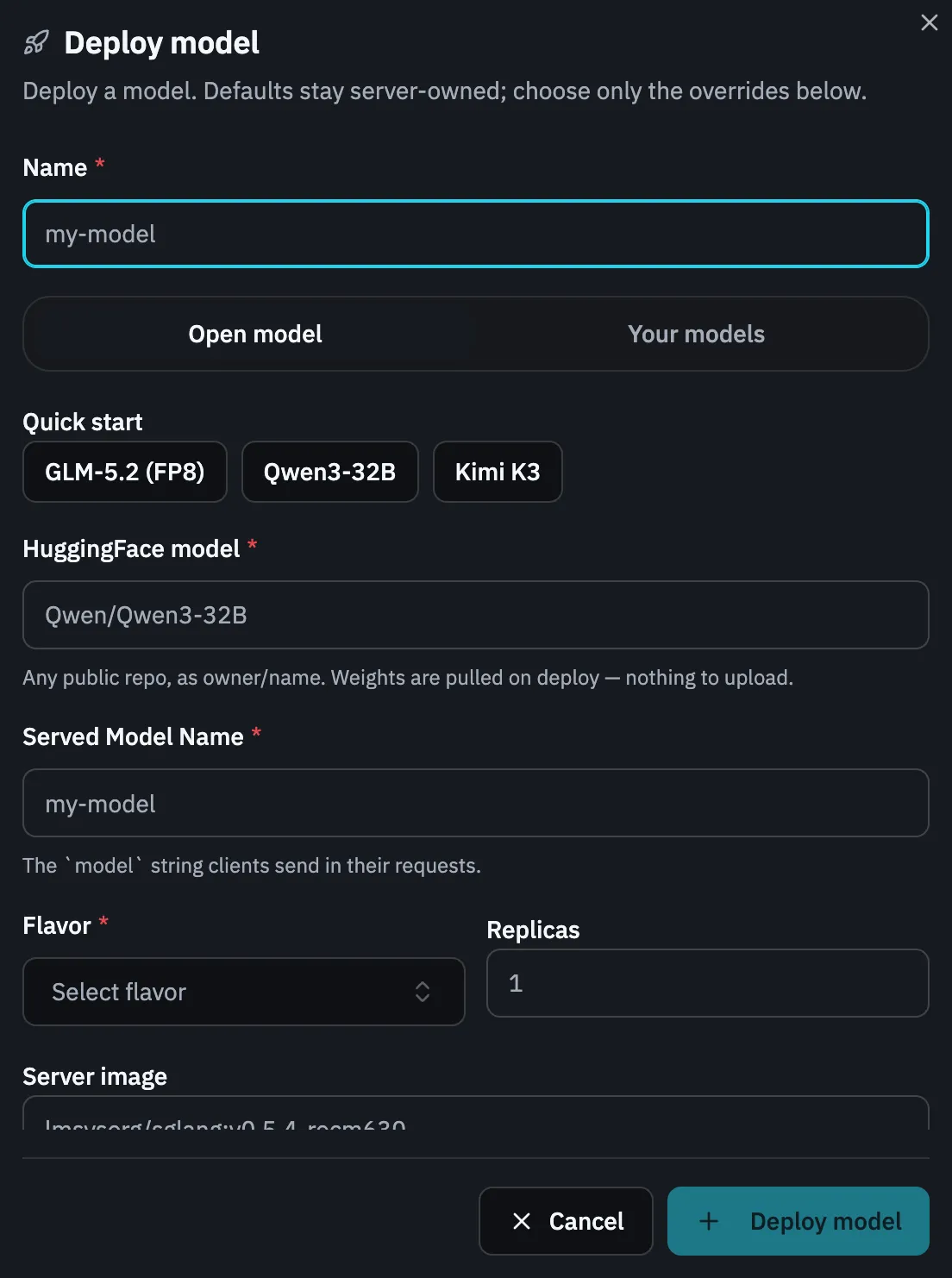
Served Model Name is the one field clients ever see. Name is only how the resource is listed.
-
Submit once.
Review the selected source and all values, then choose Deploy model. Submission starts an asynchronous deploy; the success notification means the request was accepted, not that the model is callable yet.
-
Wait for the readiness gate.
Open the new model and watch its status:
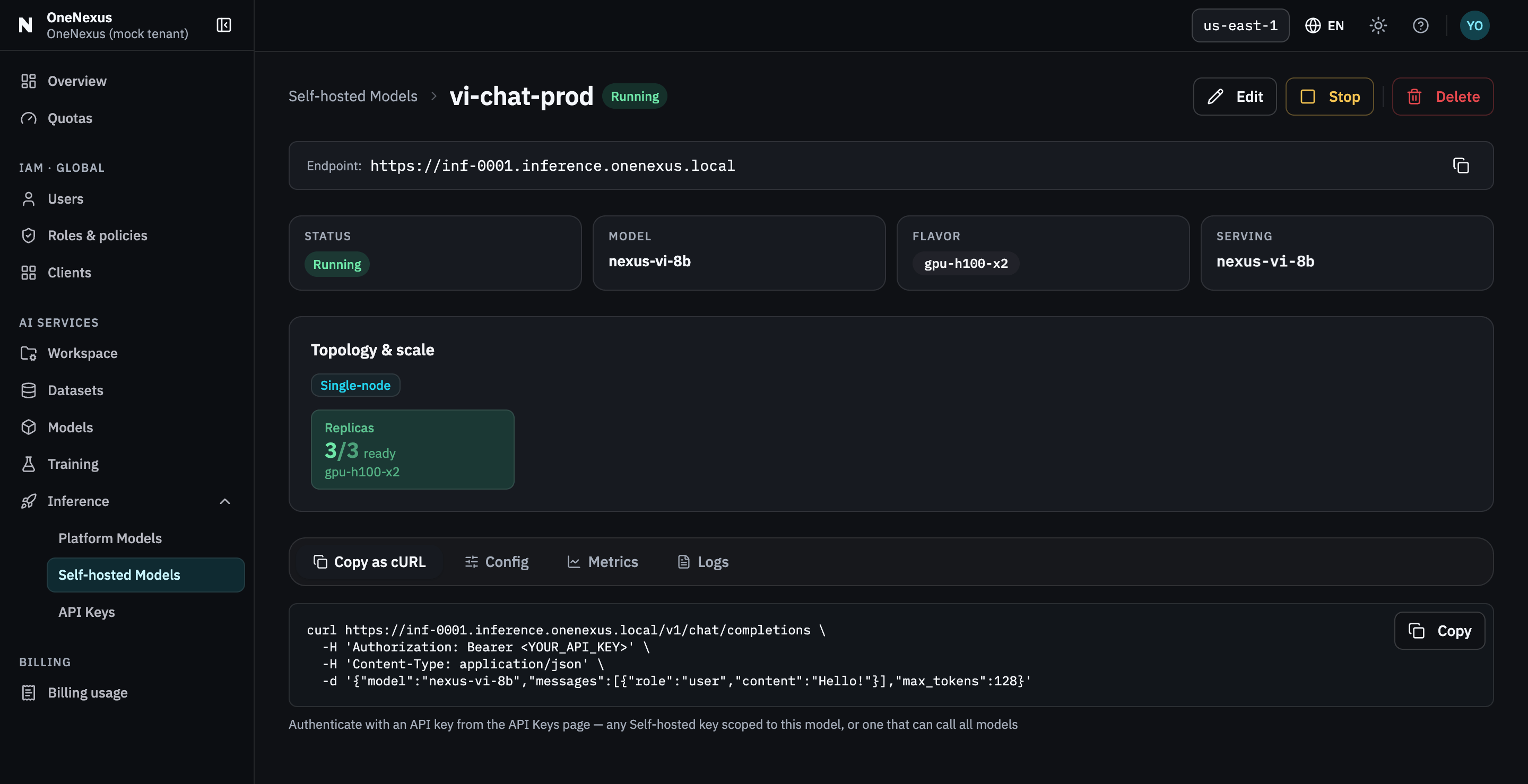
Pending→Scheduling→Warming→Deploying→RunningNot every model displays every intermediate status. Continue only when all three conditions are true:
- status is
Running; - the detail page shows an Endpoint; and
- Copy as cURL shows a complete command instead of the unavailable placeholder.
If the model becomes
Failed, open Logs and read Deploy diagnostics before deciding whether to restart, edit, or delete it.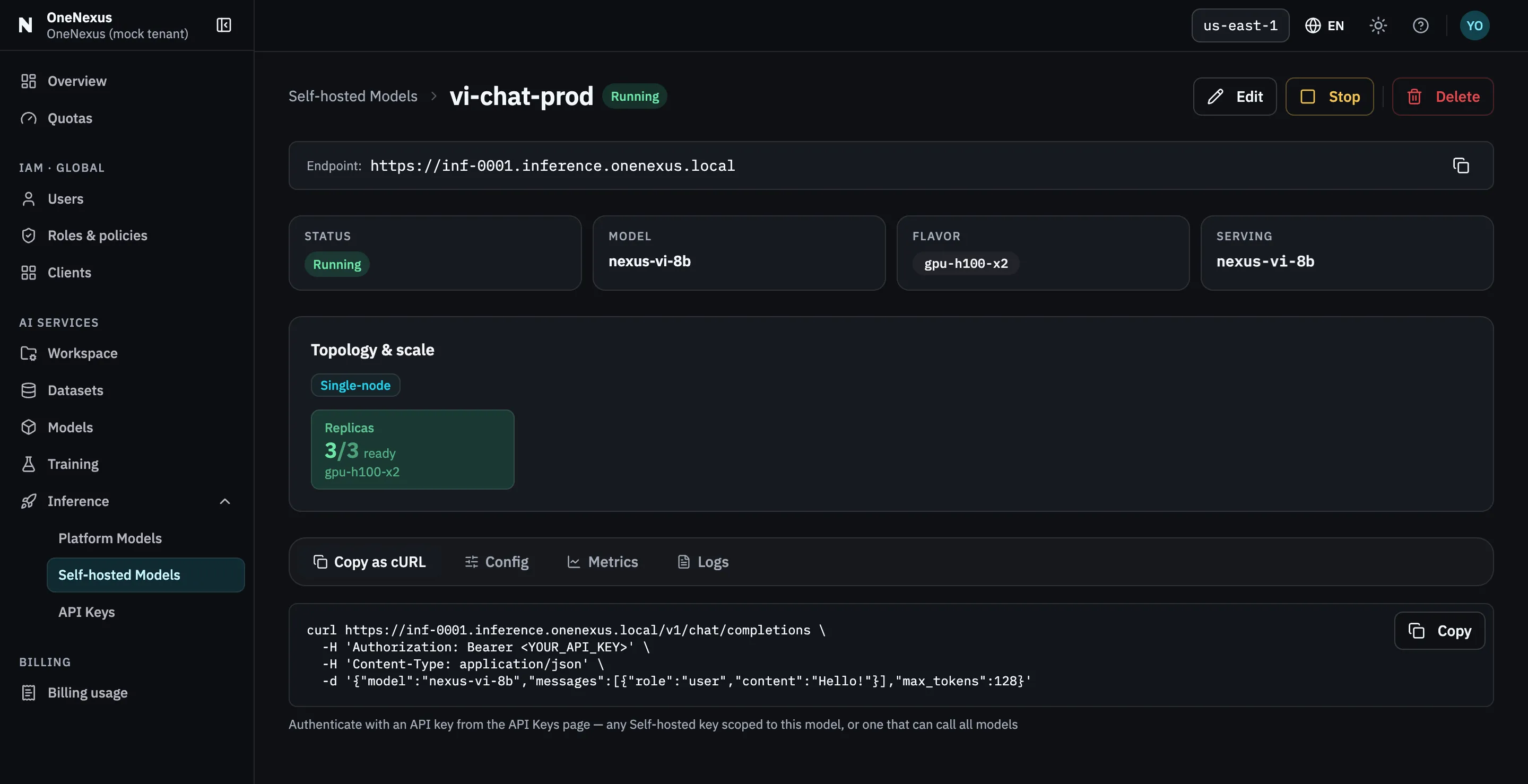
All three conditions in one view — status
Running, an endpoint, and a cURL command with no placeholder left in it. - status is
What to save
Section titled “What to save”Record these values together in your application configuration:
- the endpoint from the detail page; and
- the exact Served Model Name.
Do not derive either value from the model’s resource name or the Hugging Face repository. The generated cURL is the authority for the host, path, and model string.
What can be changed later
Section titled “What can be changed later”Edit can change the replica count and supported runtime configuration. The resource name, bound model, Served Model Name, and Flavor are shown as read-only identity in the current edit flow. To change one of those values, deploy another model.